
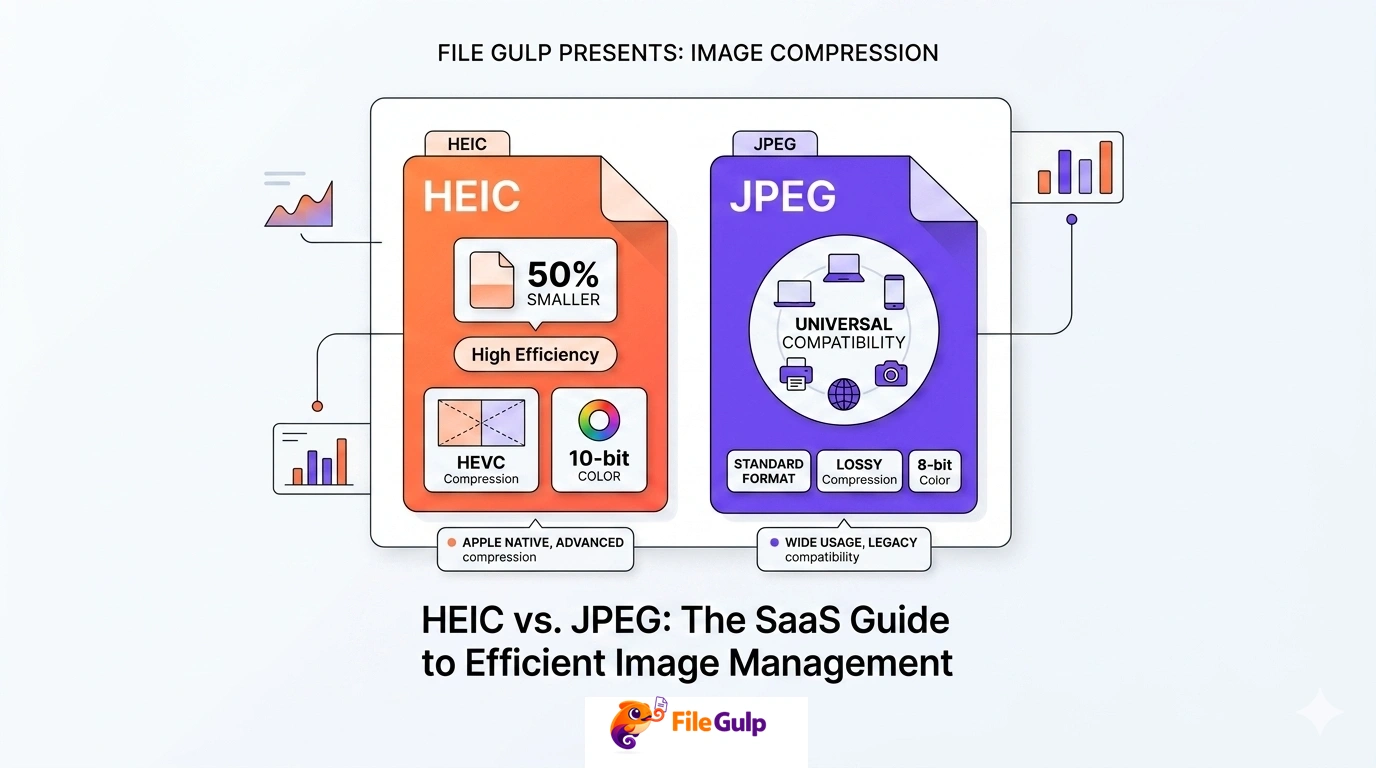
You take a photo on your iPhone. It looks great. You send it to a friend… and they reply with:
“Can’t open this file.”
Or you upload it to a website CMS and it refuses. Or your client opens the folder and asks why half the images look like blank icons.
Welcome to the HEIC era: better compression, better tech, and just enough compatibility chaos to ruin your afternoon.
Between you and me, HEIC is not a bad format. It’s actually impressive. The problem is simpler: JPEG is the internet’s native language, and HEIC is still the new kid in a world full of old systems.
This guide answers the real question behind “HEIC vs JPEG”:
- What is HEIC, really?
- Why did Apple pick it?
- When does HEIC beat JPEG?
- When does HEIC cause headaches?
- Is HEIC “the future,” or will something else (WebP/AVIF) take that role?
- What should you do today if your camera roll is 90% HEIC?
Along the way, I’ll give you practical workflows using File Gulp tools like HEIC to JPG, HEIC to PNG, and HEIC to WebP.
Quick answer: which format should you use?
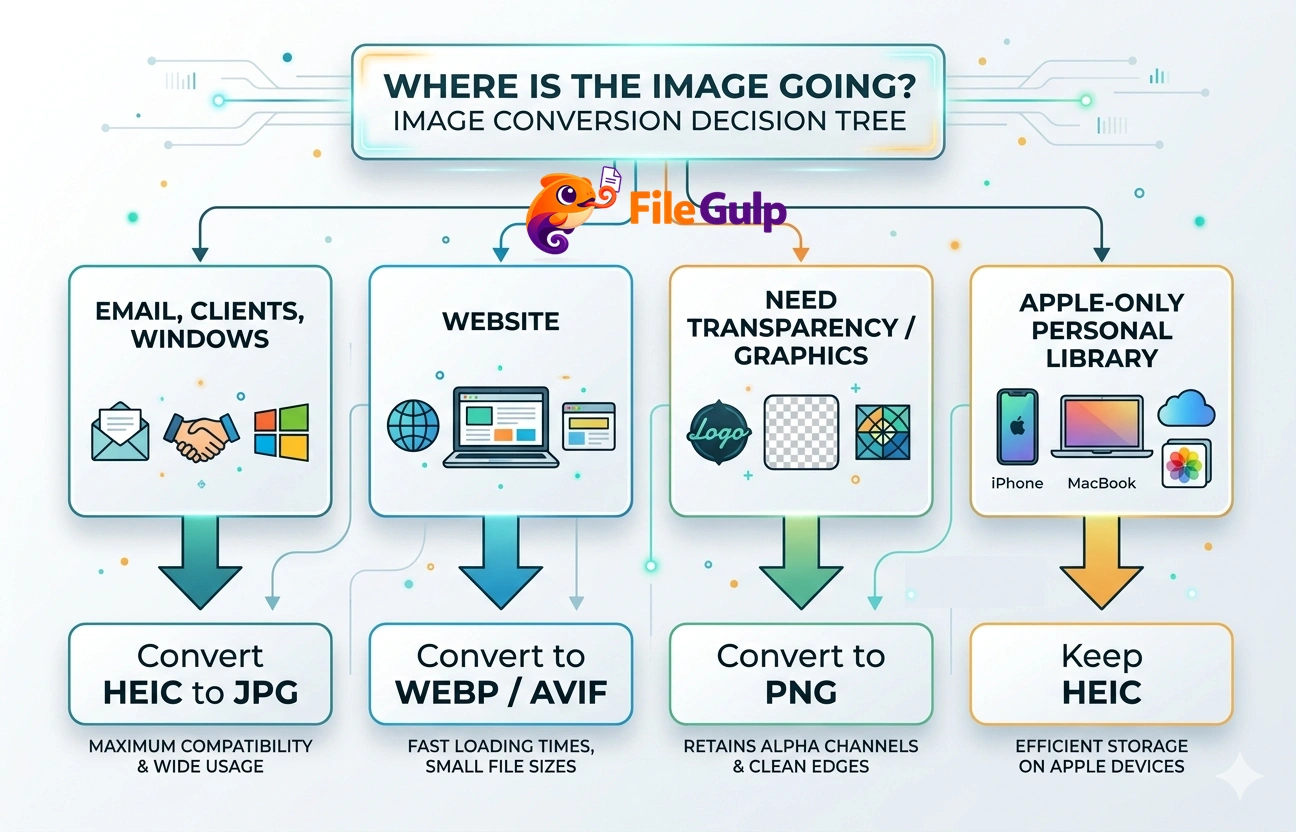
If you don’t want the deep dive, here’s the decision shortcut:
-
Sending photos to anyone, anywhere (email, clients, Windows, old apps): convert to JPEG
Use HEIC to JPG -
Publishing images on a website: use WebP (or AVIF if your stack supports it)
Use HEIC to WebP or HEIC to AVIF -
You want transparency or you’re dealing with graphics/screenshots: use PNG
Use HEIC to PNG -
Keeping your personal library on Apple devices: HEIC is fine, sometimes excellent
(Just keep an escape hatch: conversion tools for sharing)
If you want one “safe” habit: keep your originals, then create share-friendly copies.
First: HEIC vs HEIF (and why the naming is confusing)
Let’s untangle the words:
- HEIF = High Efficiency Image File Format (the container/standard)
- HEIC = the common filename extension for HEIF images encoded with HEVC (H.265)
- HEVC = the compression codec often used inside HEIF (originally video-focused)
So yes: HEIC is basically HEIF-in-the-real-world, the file extension you see in iPhone photos.
Apple’s own support pages describe HEIF/HEVC as “High Efficiency” formats used to save storage while maintaining quality. (support.apple.com)
If you want the standards-angle, HEIF is standardized as ISO/IEC 23008-12 and is maintained under MPEG. A friendly place to start reading is the HEIF community site. (heif.info)

What JPEG actually is (and why it refuses to die)
JPEG is older than a lot of the internet. It’s also brutally effective at what it does:
- compress photos into reasonably small files
- decode everywhere
- work in every app, every OS, every printer pipeline, every CMS
JPEG is “good enough” in the way VHS was “good enough” for a long time. Not perfect, but universal.
That universality has real value:
- your grandma can open it
- your client’s ancient Windows laptop can open it
- your print shop can open it
- the random government portal from 2011 can open it
There’s a reason MDN still lists JPEG as one of the core formats for web images, even as newer formats rise. (developer.mozilla.org)
Why Apple switched to HEIC (the honest reasons)
Apple didn’t pick HEIC to make your life harder. They picked it because phone photography created a storage crisis.
Modern phones shoot:
- higher resolution images
- multiple exposures (HDR)
- depth data
- burst sequences
- Live Photos-like behavior
If Apple stayed with JPEG for everything, iPhone storage would feel smaller every year—even if the storage chip got bigger.
HEIC helped Apple deliver:
- smaller files at similar perceived quality
- better support for modern imaging features (multiple images in one container, depth maps, etc.)
- 10-bit color support in some pipelines (useful for HDR-ish workflows)
Apple’s “High Efficiency” format explanation is the simplest official summary of that intent. (support.apple.com)
HEIC quality vs JPEG quality (what “better” usually means)
This is where people either get religious or confused.
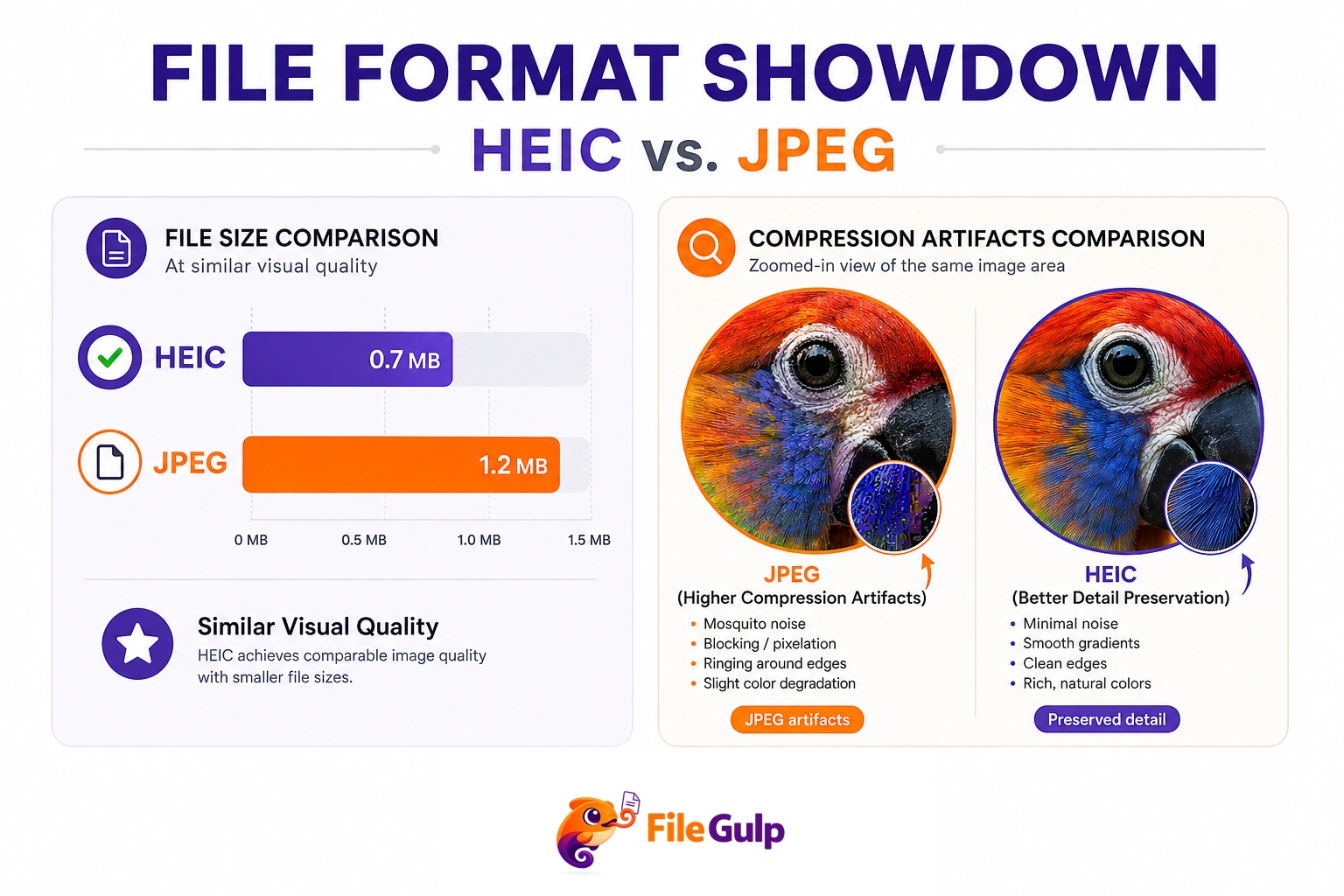
HEIC isn’t magically “higher quality.” It’s often more efficient—it can achieve similar visual quality at a smaller file size, or higher quality at the same file size.
Why HEIC can look better at the same size
The HEVC-based compression used in HEIC generally has:
- more modern prediction methods
- better handling of certain textures and gradients (depending on encoder settings)
- better compression efficiency than classic JPEG
In practice, you’ll notice HEIC wins most often in:
- smooth gradients (skies, studio backdrops)
- detailed scenes where JPEG produces mosquito noise
- photos where you want the same quality at a smaller file size
Why JPEG can still look “cleaner” sometimes
JPEG is predictable. Many tools are tuned for it. Some HEIC encoders can be aggressive (especially in consumer pipelines), and you might see:
- weird smoothing in fine detail
- different artifact patterns than you’re used to
So the real answer is: HEIC is often smaller for similar quality, but results depend on the encoder and settings.
Feature support: HEIC is more than “a photo”
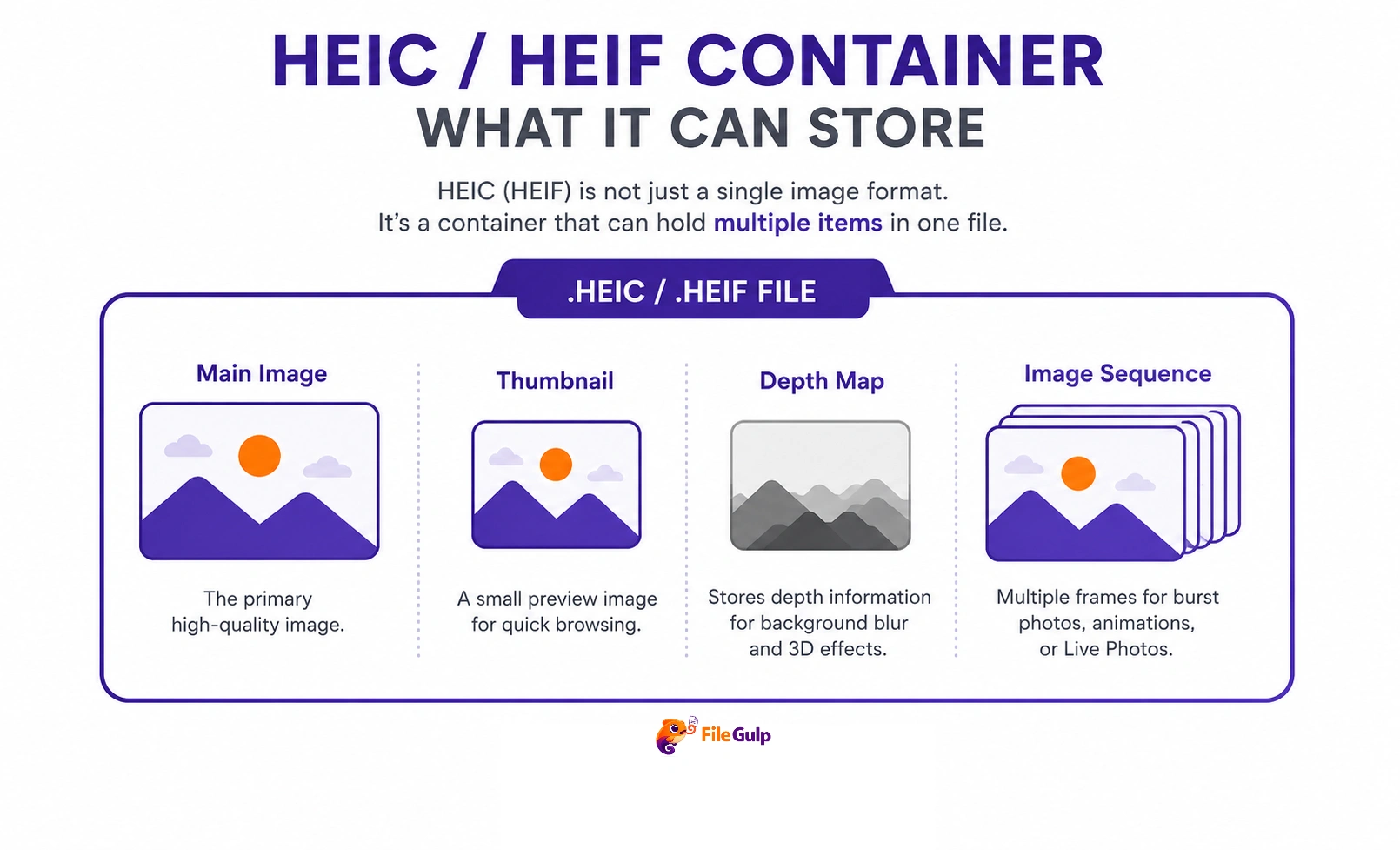
This is the underrated part. HEIF is a container, which means it can hold more than a single flat image.
HEIC can store image sequences
That includes things like:
- burst-like sequences
- “live” style captures
- multi-frame computational photography outputs
HEIC can store depth and auxiliary images
Some devices store depth maps or related auxiliary data in HEIF/HEIC structures. That’s part of why portrait mode and similar features integrate nicely in certain ecosystems.
If you’ve ever wondered why some “simple” iPhone photos behave like they contain extra magic, this is part of it.
Compatibility: the real reason JPEG still runs the world
This is where the “future” debate gets real.
HEIC is common on iPhones, but the world is bigger than iPhones.
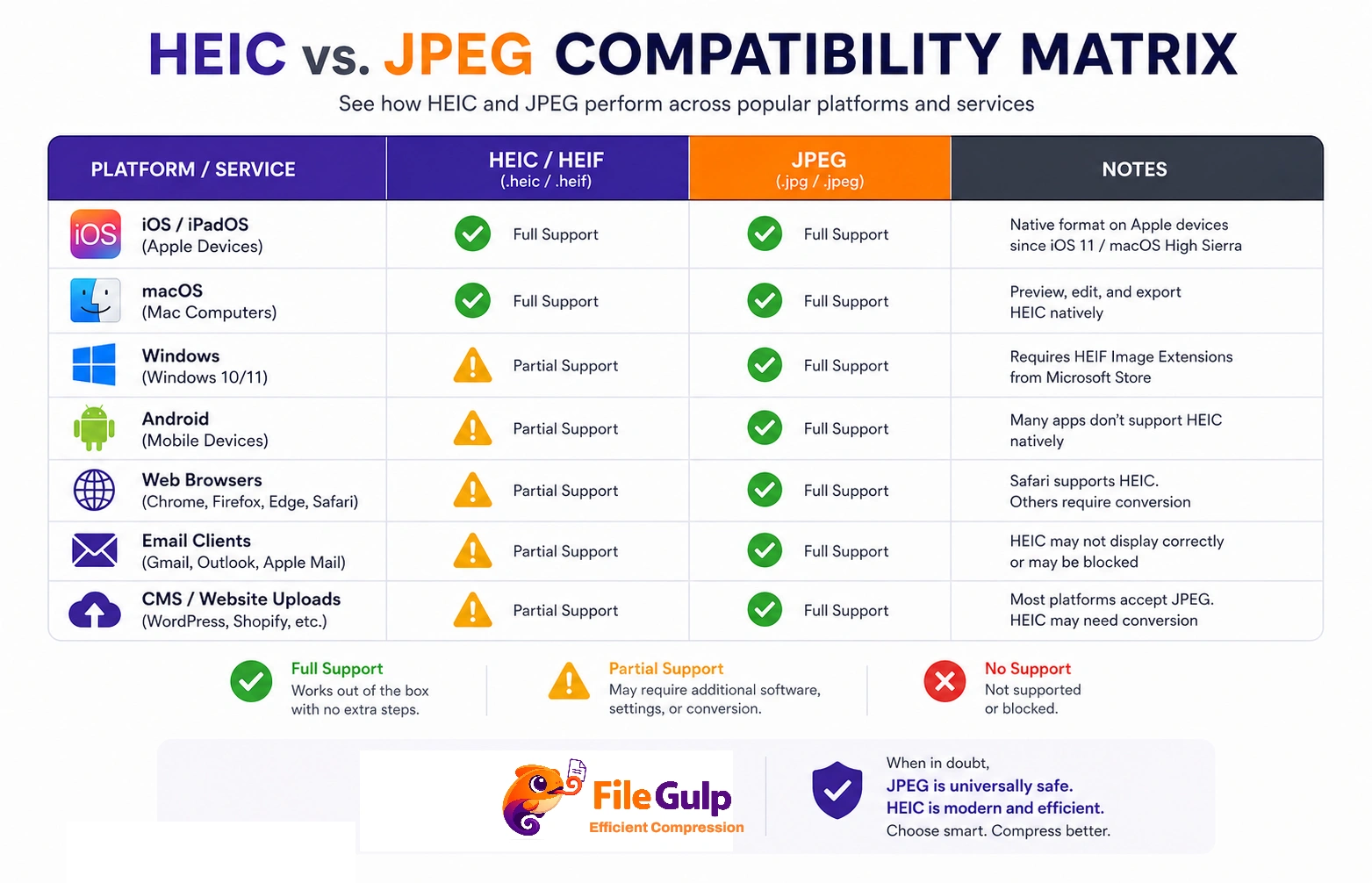
Where HEIC works well
- iOS / iPadOS / macOS (native)
- many modern Android devices (varies by vendor/app)
- modern Windows can support HEIF/HEIC with the right extensions installed (it’s not always out-of-the-box, depending on version/config)
Microsoft has offered HEIF/HEVC-related extensions through the Microsoft Store in various forms. The exact packaging has changed over time, but the broader point stands: Windows support has historically required additional components in many cases. (support.microsoft.com)
Where HEIC still causes problems
- older Windows installs
- older Android gallery apps
- many web uploaders/CMS platforms
- some email clients and desktop software
- lots of “enterprise tools” that only accept JPG/PNG
Browser support: HEIC is not a web default
Most websites do not serve HEIC images to browsers. The practical web path is WebP/AVIF (with JPEG/PNG fallbacks).
If you want current browser support reality checks, Can I use is the quickest reference for modern web image formats like WebP and AVIF. (caniuse.com / caniuse.com)
Here’s the uncomfortable truth: HEIC is not the format that won the web. WebP and AVIF are much closer to that role.
HEIC vs JPEG vs WebP vs AVIF (a practical comparison)
Since you’re running a tools site, it helps to stop treating this like a two-format fight. The modern reality is four main formats competing for different contexts.
| Format | Best for | Strength | Weak spot |
|---|---|---|---|
| HEIC (HEIF/HEVC) | Apple ecosystem photo storage | Great size/quality, modern features | Sharing + web compatibility pain |
| JPEG | Universal sharing, email, legacy systems | Works everywhere, predictable | Less efficient compression, no transparency |
| WebP | Websites | Smaller than JPEG, supports transparency | Some older software ecosystems still struggle |
| AVIF | Websites where performance is critical | Often the smallest at good quality | Slightly more complex workflow; not universal |
If your goal is the web, you’ll usually end up in WebP/AVIF land. If your goal is universal human compatibility, you still end up in JPEG land.
Is HEIC “the future”?
Depends on which future you mean.
The Apple/phone-storage future: yes, HEIC is already the present
If you live on iPhone and you mostly share inside iMessage/AirDrop/iCloud, HEIC makes sense and will likely stick around. Apple has built a lot of its photo pipeline around “High Efficiency.”
The open web future: probably not
The web’s “next JPEG” conversation has been dominated by WebP and AVIF—formats designed for browser delivery, CDN pipelines, and responsive images.
MDN’s image format guide reflects how the web thinks about formats today (JPEG/PNG/GIF + modern formats). (developer.mozilla.org)
So when someone asks “Is HEIC the future?” the honest answer is:
- HEIC is a great camera format.
- JPEG remains the universal handoff format.
- WebP/AVIF are the web delivery formats.
Honestly, that’s not a failure. It’s specialization.
The hidden issue: patents and licensing anxiety
This isn’t the fun part, but it’s part of why some platforms avoid HEIC/HEVC workflows.
HEIC commonly uses HEVC, and HEVC has had complicated licensing/patent pool history. That complexity can make some companies hesitant to bake HEIC support into every product by default.
I’m not here to litigate licensing; I’m just pointing out why “better tech” doesn’t automatically become “default everywhere.”
If you’re running a website, you usually choose formats with:
- strong browser support
- clean server/CDN pipelines
- predictable decoding performance
That tends to push you toward WebP/AVIF rather than HEIC.
Editing and re-saving: what happens to quality?
JPEG re-saves can stack damage
JPEG is lossy. Every time you re-export a JPEG, you risk additional artifacts.
HEIC can be lossy too (and it’s not immune)
Most HEIC photos from phones are also lossy-compressed. The difference is the compression method and efficiency, not that HEIC is magically lossless.
The real rule is still:
- keep a master/original
- export copies for sharing
If you want to share smaller web copies:
- resize: Resize Image
- convert: HEIC to WebP
- compress: Compress Image
Privacy note: HEIC files can still contain metadata (EXIF)
HEIC is still a photo file, and photo files love metadata.
If you’re sharing publicly, you may want to strip metadata:
- GPS
- device info
- timestamps
Use Remove Image Metadata before you upload or send. It’s the simplest “don’t accidentally overshare” habit.
If you want more context, you already have a dedicated EXIF article—so think of this as the reminder: format choice doesn’t automatically remove metadata.
Practical workflows (what to do with HEIC in real life)
1) “I need to email these photos to a client”
Pick JPEG.
- Convert: HEIC to JPG
- Resize if they’re huge: Resize Image
- Compress to keep attachments sane: Compress Image
- Remove metadata if appropriate: Remove Image Metadata
If the client needs transparency (rare for photos), that’s when you’d choose PNG:
2) “I’m building a fast website”
Pick WebP (and test AVIF if you want to squeeze harder).
- Convert: HEIC to WebP
- Optionally convert to AVIF: HEIC to AVIF
- Resize to display size: Resize Image
- Compress: Compress Image
If you want to serve modern formats with fallback, the <picture> element is your friend. MDN’s responsive images guide is the reference worth bookmarking. (developer.mozilla.org)
Example:
<picture>
  <source srcset="/images/hero.avif" type="image/avif">
  <source srcset="/images/hero.webp" type="image/webp">
  <img src="/images/hero.jpg" alt="Hero photo">
</picture>
3) “I’m posting to social media”
Most platforms will recompress anyway.
Your goal is:
- correct crop/aspect ratio
- reasonable dimensions
- no sensitive metadata
A clean flow:
- crop: Crop Image
- resize: Resize Image
- strip metadata: Remove Image Metadata
- convert to JPG for compatibility if needed: HEIC to JPG
4) “I’m archiving my personal photos”
If your archive is mostly Apple, HEIC is fine.
If you care about long-term access across unknown future software, it’s reasonable to keep:
- originals (HEIC)
- plus a “universal copy” batch in JPEG for the most important sets (weddings, family albums, portfolio)
I mean, storage is cheap compared to regret.
A decision tree you can actually use
Common HEIC headaches (and quick fixes)
“Windows can’t open my HEIC photos”
It’s often missing HEIF/HEVC components.
Fast workaround: convert to JPEG and move on.
“My website won’t accept HEIC uploads”
Many CMS platforms only accept JPG/PNG/WebP.
- Convert to JPG: HEIC to JPG
- Or for web performance: HEIC to WebP
“My photo is sideways after conversion”
Sometimes orientation is stored as metadata. After stripping metadata or converting, orientation can change.
Fix:
- Rotate: Rotate Image
- Then export again.
“I need smaller files without destroying quality”
Don’t only compress. Resize first.
- Resize: Resize Image
- Then compress: Compress Image
Is Apple’s format the future? A grounded take
If you’re asking “Will HEIC replace JPEG everywhere?” the answer is probably no—not because HEIC is bad, but because “everywhere” includes:
- legacy systems that won’t update
- enterprise tools that only accept JPEG/PNG
- web pipelines built around WebP/AVIF
- random printers and kiosks that still speak JPEG
If you’re asking “Is HEIC a smart default for modern phone cameras?” yes. It saves space, supports modern imaging features, and keeps quality high.
So the sane position is:
- Keep HEIC for capture and personal libraries
- Convert to JPEG for universal sharing
- Convert to WebP/AVIF for modern web delivery
That isn’t a compromise. It’s just using the right tool for the job.
A quick File Gulp “HEIC survival kit”
If you only want the tool links you’ll actually use:
- Universal compatibility: HEIC to JPG
- Transparency / graphics: HEIC to PNG
- Web performance: HEIC to WebP and HEIC to AVIF
- Smaller files: Resize Image + Compress Image
- Privacy before posting: Remove Image Metadata